Turn your music into seamless loops and adaptive game soundtracks. A Windows application built by a composer.
I write music for games, and I kept hitting the same two problems: getting tracks to loop with no click, and building music that reacts to what’s on screen. So I built Loopsmith to solve both in one window, with no programming required. It also has a handy feature that converts audio for different engines.
Try it on your own music first
The demo is the full app with five free exports, so you can take one of your own tracks all the way into your engine and hear it loop before you spend anything. No account, no internet connection, nothing running in the background.
Loopsmith is $49, a one-time purchase that includes all Loopsmith 1 updates and email support. Windows only for now.
Download the free demo · Buy Loopsmith on itch.io
Both links go to itch.io, where the demo is the second download at the bottom of the page. Windows will warn you the installer is from an unknown publisher, because it is not code signed yet.
Gapless loops
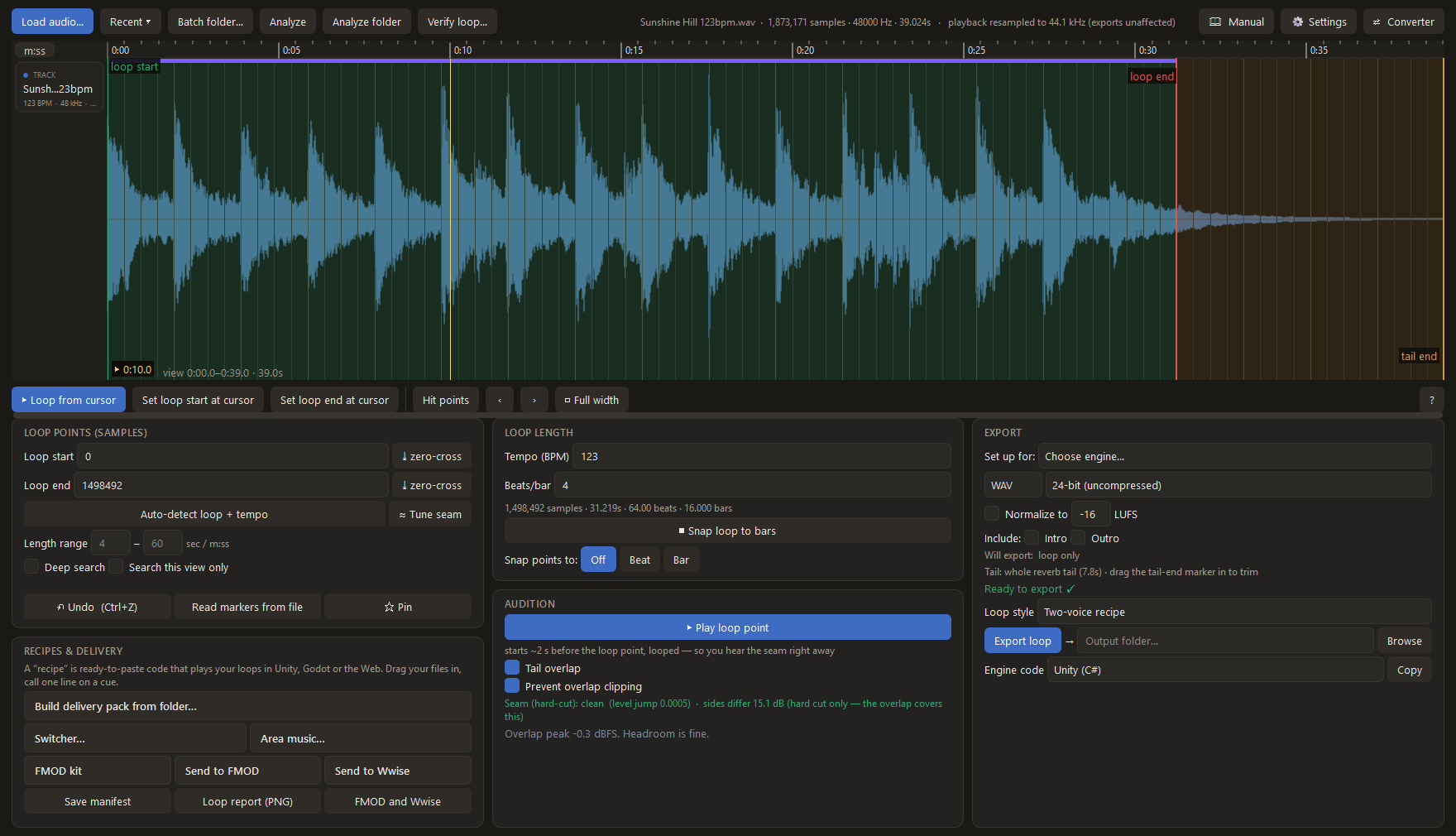
Loopsmith uses the tail-overlap technique pro game audio relies on, so loops repeat with no gap and no click. Set the loop by ear or auto-detect it, and hear the exact seam before you commit, with a live check that flags a click, a loudness jump, or a chopped sound right at the loop point. Export a ready-to-paste recipe for Unity, Godot, and the web, or bake the loop into a single seamless file for engines that play one file on their own, like RPG Maker and GameMaker. You can also open any finished loop and verify it repeats cleanly before you ship it.
The loop editor, where you set and audition the seam:
Adaptive music, built as files
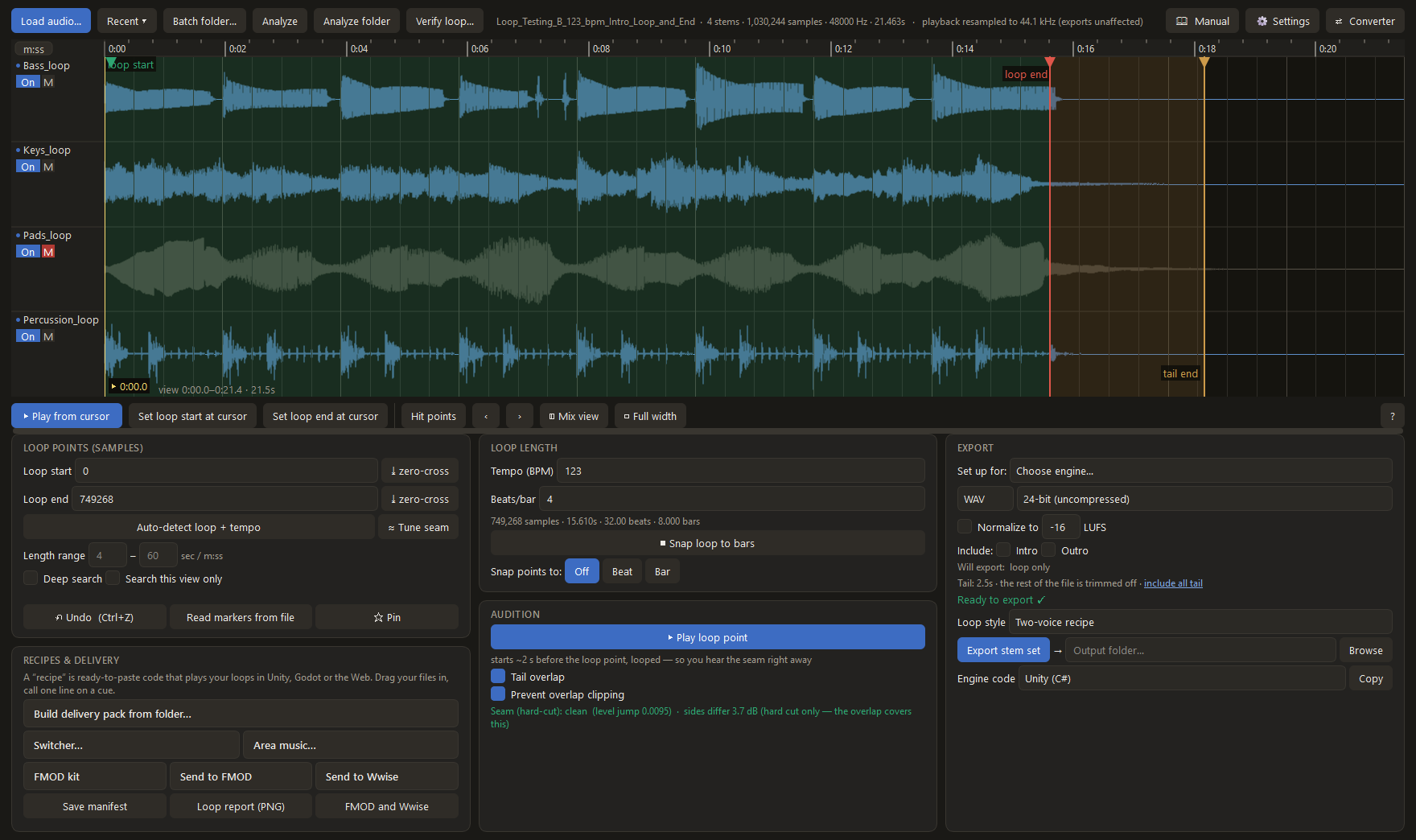
Layer stems for intensity, crossfade between areas or states, stop on a cue, and fire stingers, one-shot accents that land exactly on the music’s next bar. Each set exports with ready-made code for Unity, Godot, and Web Audio, plus a browser tester so you can hear it before it’s in the game. Stingers work in FMOD, Wwise, and Unreal too, quantized to the next bar or beat at your tempo.
A full batch converter
Convert whole folders between seven formats (MP3, OGG, Opus, FLAC, ALAC, WAV, AIFF), with album tags, cover art, and loudness normalization.

How Loopsmith fits with FMOD, Wwise, and engine audio
Wwise and FMOD are serious authoring tools. You can place loop cues on a timeline, set a tempo grid, quantize transitions to it, and audition inside the editor, and Wwise can even play a baked reverb tail across the loop seam. One thing no tool does, Loopsmith included, is invent the reverb tail: that always comes from your render, letting the last notes ring past the loop end. The difference is where the seam gets solved. Wwise solves it at runtime, inside a Wwise project. Loopsmith solves it in the file itself, folding the tail into the loop so the finished audio plays seamlessly anywhere, even in engines that just loop a single file.
Middleware also comes with weight: a runtime inside your game, soundbank builds, version matching between the authoring tool, the integration package, and your engine, plus per-project registration and logo attribution even on the free tiers. Support for Godot, GameMaker, RPG Maker, and the web ranges from community-maintained to nonexistent.
Loopsmith is the step before all of that. It works on the files themselves: find the seam, hear it before you commit, render the loop so the tail survives, and export finished assets with loop data and playback code for plain engine audio. No runtime, no banks, no paperwork. And if you do use FMOD or Wwise, with your project open, one click assembles the looping FMOD event (the reverb tail ringing over every restart, plus an End parameter for a real ending) or the Wwise music setup (entry and exit cues at your exact samples, an intro segment, and a state-driven composed ending). Stems become one track per layer, sample-locked. Prefer offline? The FMOD kit export writes the same event as a script your whole team can run from FMOD’s Scripts menu. Not using middleware at all? The Unreal kit does the same job for plain Unreal: it exports your audio plus a script you run once in the editor, and the complete MetaSound music system appears in your project, with the seamless two-voice loop, your intro, a mix control per stem, a musical ending, and stingers on the grid. No plugin to install and nothing to register.
Questions or support? Email loopsmith@austinhaynesmusic.com